
Every property and Starlink project is different. This guide explains the practical factors considered during professional installation and helps you prepare informed questions before work begins.
Two different ways to reach the same Starlink connection
Wi-Fi provides mobility and simple installation, while Ethernet provides a dedicated physical path that is less affected by distance, walls, and radio interference. Most properties benefit from using both.
Starlink determines the internet connection beyond the router. Ethernet and Wi-Fi determine how local devices reach that router. A wired computer can still experience a Starlink outage, but it avoids the additional variability of radio distance, interference, and roaming between access points.
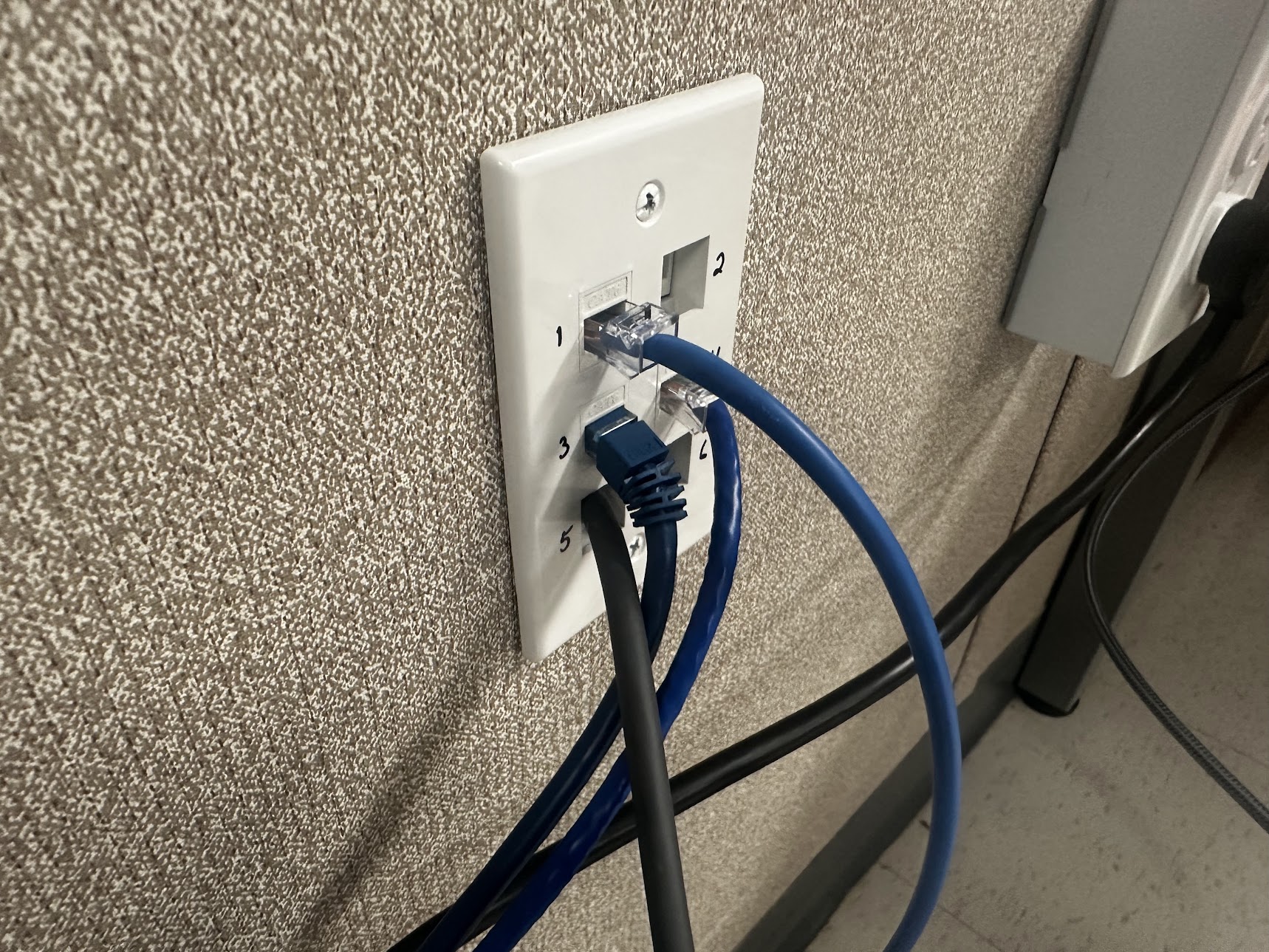
An Ethernet wall plate provides connection points inside the building. The cable route and connected network equipment determine how the wired connection is used.
Installation and photo: Mann's Starlink Contracting · View original field photo ↗Where Ethernet provides the greatest benefit
Identify stationary devices that need dependable performance: gaming systems, desktop computers, workstations, televisions, network storage, point-of-sale equipment, security recorders, and mesh backhaul.
Wire devices that remain in one place and matter during busy periods: gaming systems, work computers, televisions, camera recorders, point-of-sale terminals, servers, and access points. Ethernet backhaul between mesh nodes prevents them from spending wireless capacity repeating traffic and can improve consistency across a large building.
Need help with this on your Starlink system?
Mann's Starlink Contracting provides owner-installed service throughout Kentucky and an 11-state region.
Where Wi-Fi remains the right choice
Use Wi-Fi for phones, tablets, and mobile devices. Use properly terminated Ethernet for important fixed equipment and connect switches or access points according to the router configuration and Starlink generation.
Phones, tablets, smart speakers, and portable equipment need Wi-Fi. A well-placed access point can serve many of them without installing cable to every room. Modern Wi-Fi can be fast, but its performance is shared and changes with obstacles, neighboring networks, device capability, and the number of active users.
Cable categories and installation quality
Do not expect a wired connection to fix Starlink obstructions or an internet outage. Avoid low-quality cable, damaged terminations, unsupported outdoor runs, and network loops created by incorrectly connecting equipment.
Cat5e and Cat6 can both support common gigabit networks when installed and terminated correctly within their ratings. Outdoor, buried, and plenum spaces require cable appropriate to the environment. Avoid sharp bends, crushed jackets, poor connectors, and runs alongside electrical noise sources; the category label cannot rescue bad workmanship.
A balanced home or business network
Start with the applications most affected by brief interruptions or inconsistent Wi-Fi. Wiring those devices often improves reliability while leaving the rest of the household comfortably wireless.
Use Ethernet as the dependable backbone and Wi-Fi for mobility. Connect Starlink to a capable router or switch arrangement, wire fixed high-priority devices and access points, then design wireless coverage for the remaining rooms. This approach scales more predictably than adding repeaters whenever a dead zone appears.
Get a personal installation estimate.
Send your location and project details. Caleb will discuss your equipment and mounting needs, then confirm your complete quote before scheduling.
Questions first? Call Caleb directly at 270-940-4866.
Written byCaleb MannOwner and installer at Mann's Starlink Contracting. Caleb works directly with customers from project planning through final system setup.

