
Every property and Starlink project is different. This guide explains the practical factors considered during professional installation and helps you prepare informed questions before work begins.
What a Roam plan changes
Starlink Roam is designed for customers who want to use eligible hardware away from one fixed residential service address. Instead of treating the dish as a permanent home terminal, the plan supports travel within the plan's permitted coverage and usage rules.
Plan names, data allowances, pricing, countries, and in-motion permissions can change. Customers should review the current Starlink plan page before a trip rather than relying on an older screenshot or prior subscription.
Mini is the travel-first option
Mini is compact, uses less power, and includes Wi-Fi in the terminal. That makes it easier to carry, store, and operate from a campsite, vehicle electrical system, or portable battery. For travelers who set up and pack away frequently, these advantages are substantial.
Its tradeoffs are smaller Wi-Fi reach, fewer built-in wired-network options, and less peak capability than the larger terminals. A travel party with many devices or a large campsite may need extra network planning.
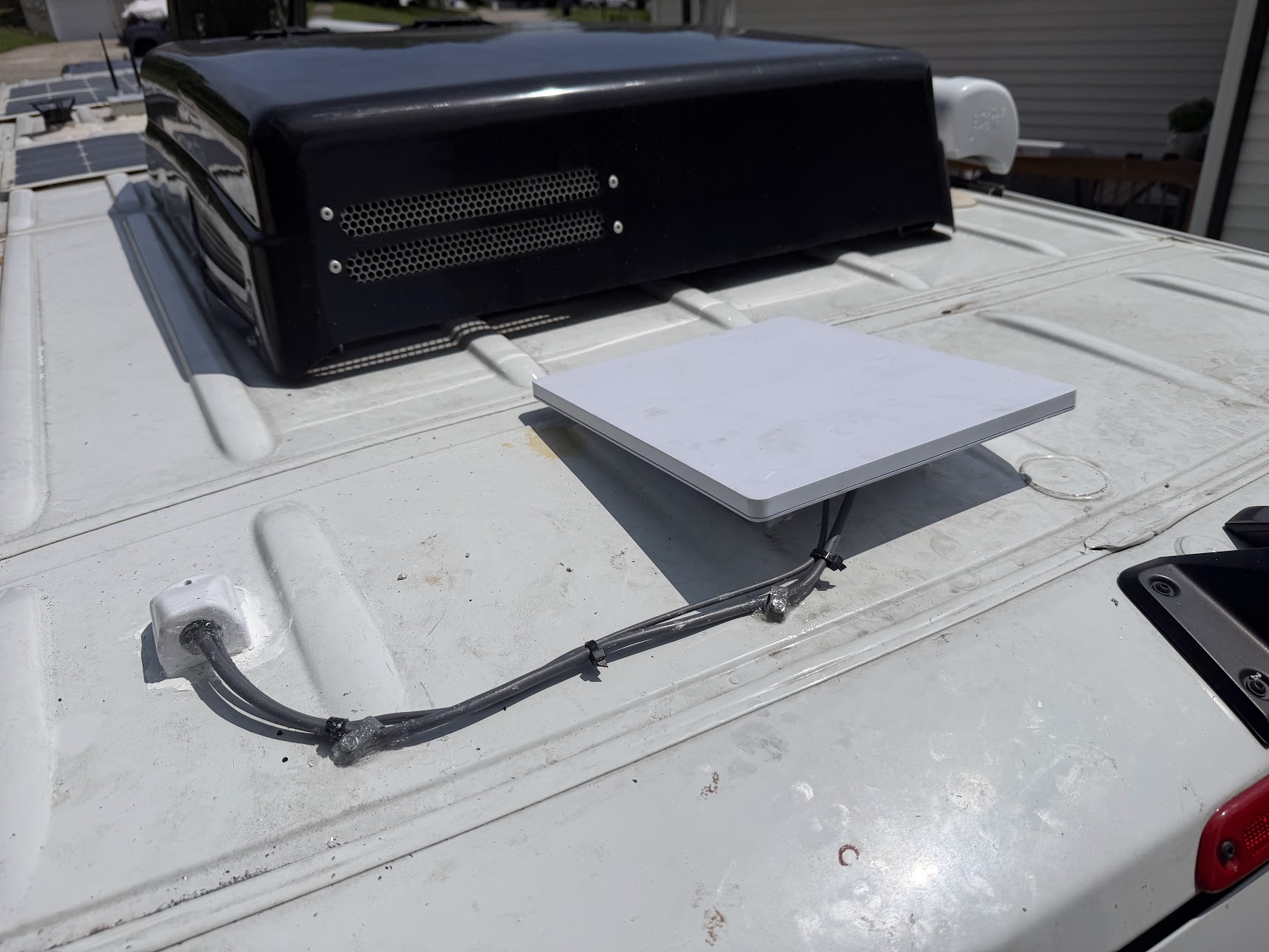
The Mini has a fixed roof position with the cable secured toward an entry fitting. This is a mounting example; a roof installation alone does not establish approval for use in motion.
Installation and photo: Mann's Starlink Contracting · View full photo ↗Standard can travel too
The Standard Kit can be used with an eligible Roam plan and provides a larger terminal plus a separate full-size router. It may be attractive for extended RV stays, seasonal locations, work trailers, or customers who want residential-style Wi-Fi performance at the destination.
Standard takes more storage space and power than Mini. Its dish, router, cables, and mount must all be secured during transportation and protected during setup.
Need help with this on your Starlink system?
Mann's Starlink Contracting provides owner-installed service throughout Kentucky and an 11-state region.
Stationary and in-motion use are different
A kickstand or tripod is intended for stationary use after the vehicle has stopped. It should never be left loose on a roof, hood, or exterior platform while driving. In-motion use requires a supported plan, compatible hardware, an appropriate fixed mount, and compliance with local rules.
Starlink advertises in-motion use for eligible Roam service in select markets. Availability should be confirmed for the exact plan and destination. A system merely functioning while a vehicle moves does not make an improvised installation safe.
Advantages for travelers
Roam can provide internet where campground Wi-Fi and cellular service are weak or unavailable. It supports navigation updates, remote work, entertainment, communication, and trip flexibility without depending on one local provider at every stop.
The dish still needs open sky. Forested campsites, covered parking, urban canyons, mountains, and heavy obstructions can interrupt service even when the account and plan are active.
Plan the complete travel system
Choose the dish based on storage, power, mounting, Wi-Fi needs, and how often it will move. Plan protected cable paths, weatherproof exterior connections, safe power conversion, surge protection, and a repeatable setup routine.
Roam adds location flexibility; it does not remove the need for secure mounting, clear sky, responsible driving, or current plan verification.
Get a personal installation estimate.
Send your location and project details. Caleb will discuss your equipment and mounting needs, then confirm your complete quote before scheduling.
Questions first? Call Caleb directly at 270-940-4866.
Written byCaleb MannOwner and installer at Mann's Starlink Contracting. Caleb works directly with customers from project planning through final system setup.


