Starlink V5 Standard Kit: What Changed, Where It Is Available, and the Tradeoffs
Starlink has released its smaller, lighter V5 Standard residential kit. Here is what is included, how its specifications compare, where it is available, and the limitations customers should understand before ordering.
At a glance
Key takeaways
- V5 is much smaller and lighter than V4
- Average power consumption falls to approximately 35–50 watts
- The kit includes the compact Router Mini and a pipe adapter
- Availability remains limited and address-dependent
- Standby Mode is currently unavailable for V5 hardware
Starlink Introduces the V5 Standard Kit
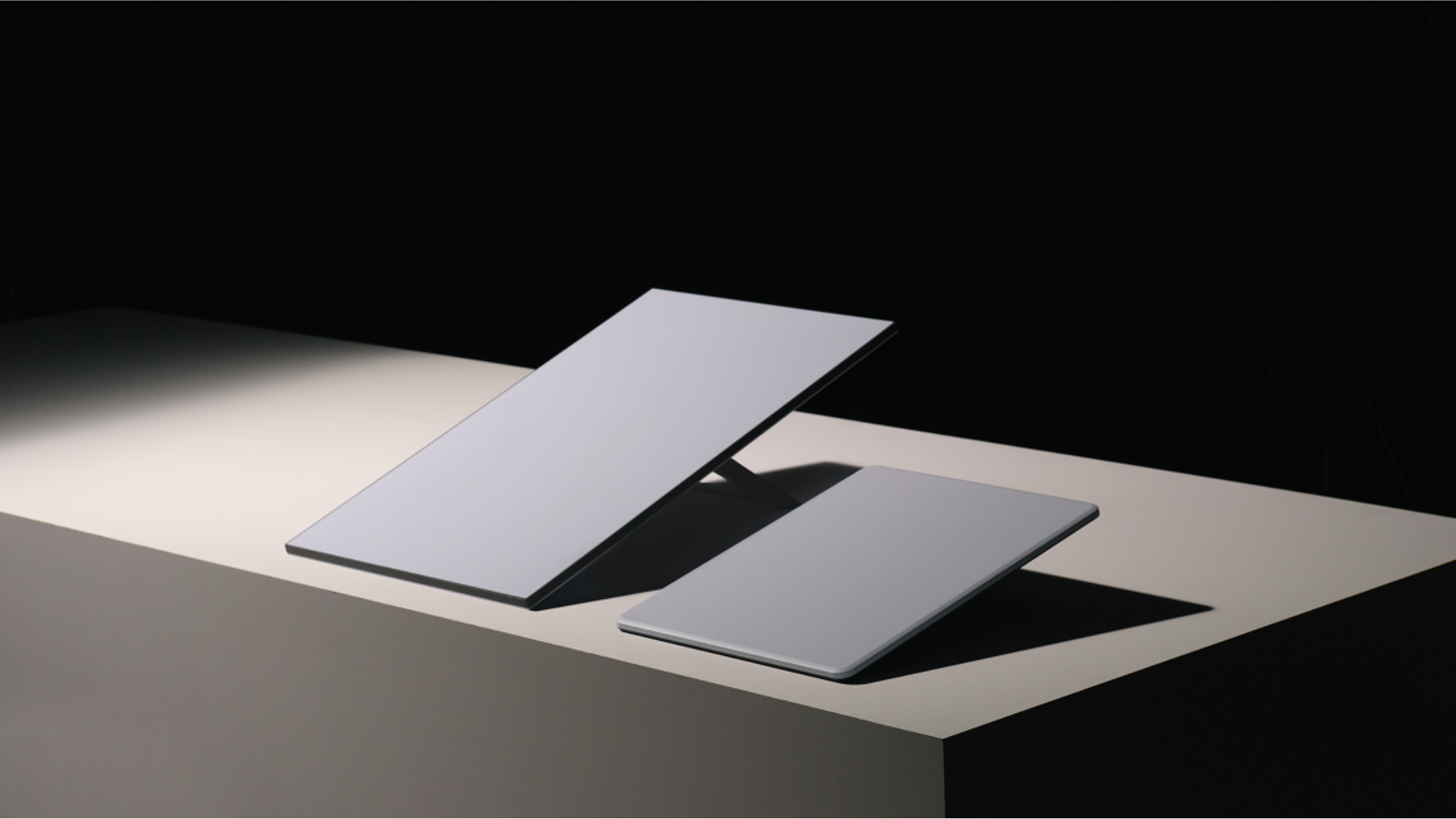
Starlink began rolling out the V5 Standard Kit in July 2026 as its newest fixed residential terminal. The most noticeable change is size: V5 is dramatically narrower and lighter than the V4 Standard dish while keeping the same 110-degree field of view.
Starlink markets the V5 for ordinary home internet—including streaming, video calls, gaming, and remote work—with advertised download capability of up to 375+ Mbps. That figure is a hardware rating rather than a guaranteed household speed. Actual performance still depends on local network capacity, obstructions, weather, the service plan, and conditions in the customer's Starlink cell.
V5 Dish Specifications
The V5 uses an electronic phased-array antenna and measures approximately 12.05 × 15.12 × 1.34 inches (306 × 384 × 34 mm). The dish weighs approximately 2.4 pounds (1.1 kg), compared with about 6.4 pounds for the V4 Standard terminal.
Starlink lists a 110-degree field of view, an IP67 Type 4 environmental rating, and an operating temperature range of -22°F to 122°F (-30°C to 50°C). When properly mounted, the published wind rating is up to 165 mph (265 km/h), and the snow-melt rating is up to 1.6 inches per hour (40 mm per hour).
Average power consumption is listed at approximately 35 to 50 watts. That is substantially lower than the V4 Standard kit's published 75-to-100-watt average and may be especially helpful for battery backup, generators, solar systems, and other off-grid power arrangements.
V5 Compared with V4
| Feature | V5 Standard | V4 Standard |
|---|---|---|
| Dish weight | 2.4 lb | 6.4 lb |
| Average power | 35–50W | 75–100W |
| Advertised ceiling | 375+ Mbps | 400+ Mbps |
| Standby Mode | Not available | Supported on eligible plans |
What Comes in the Box
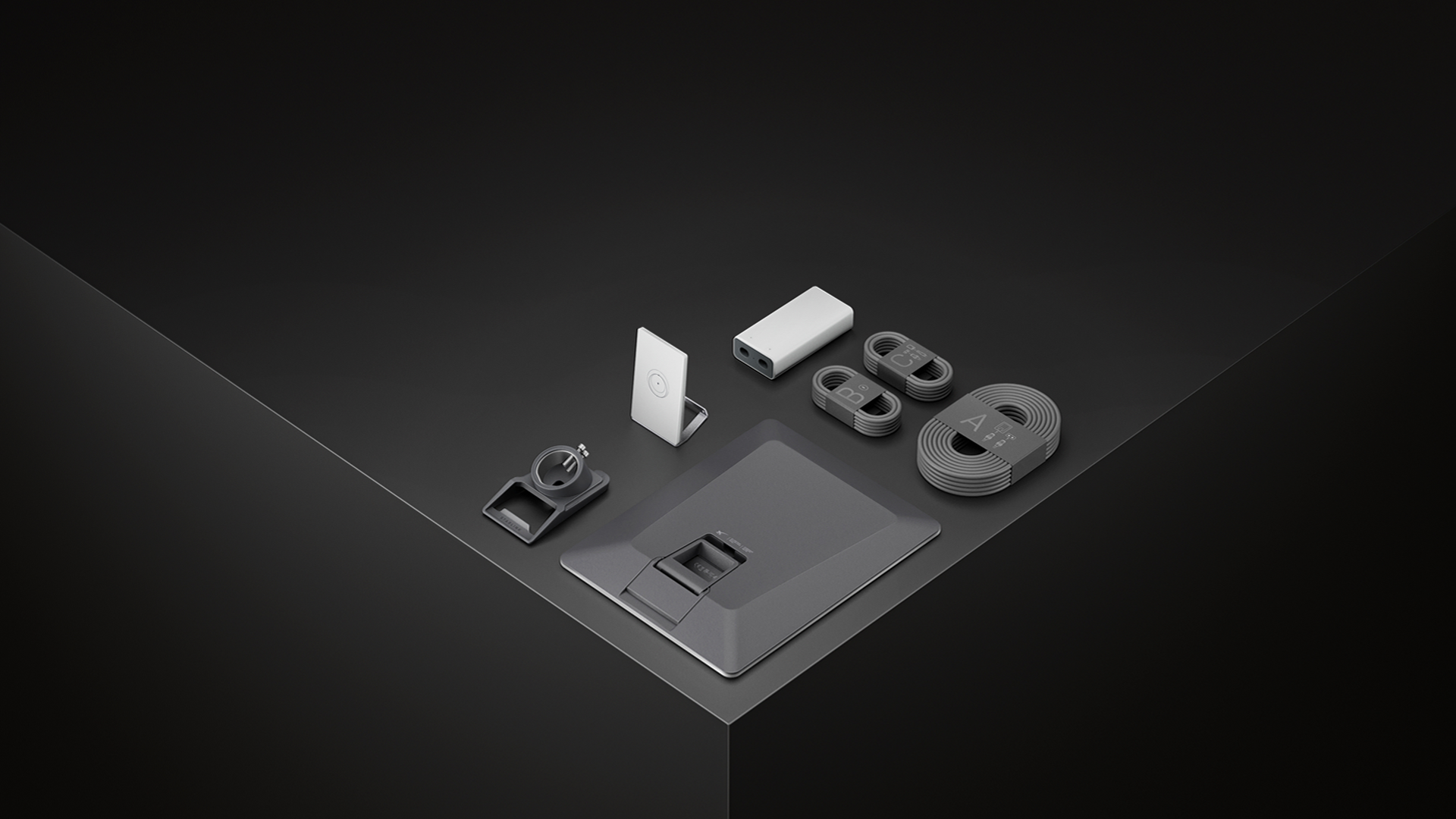
The V5 package includes the V5 Starlink terminal, removable kickstand, pipe adapter with a stored hex key, external power supply, Router Mini with stand, a 49.2-foot (15 m) Starlink cable, a 4.9-foot (1.5 m) AC power cable, and a 6.6-foot (2 m) Ethernet cable.
The included pipe adapter is designed for metal poles approximately 1.2 to 2.0 inches (31 to 50 mm) in diameter. Starlink specifically calls for a metal pole rather than PVC or plastic pipe. Permanent surface mounting may require Starlink's separate Home Mount or another mount confirmed to fit V5 hardware.
Unlike the V4 arrangement in which the router plays a larger role in powering and connecting the system, V5 uses a separate external power supply with distinct connections for the dish, Ethernet handoff, and AC power. This modular arrangement can make integration with a customer's own router or network equipment more straightforward.
The Included Router Mini
V5 includes Starlink's compact Router Mini rather than the larger Gen 3 router. It is a dual-band Wi-Fi 6 router with one latching Ethernet WAN port and one latching Ethernet LAN port.
For native Starlink mesh expansion, the Router Mini can work with Gen 2 routers, Gen 3 routers, other Router Minis, and the router built into a Starlink Mini kit. Gen 1 routers and third-party mesh products do not join the native Starlink mesh system, although customers may still use compatible third-party networking equipment through the Ethernet handoff when configured appropriately.
Where the V5 Kit Is Available
As of August 2026, V5 is being offered in select areas of the United States, with broader availability expected as production increases. It should not yet be treated as universally available throughout the United States or internationally.
Hardware availability, pricing, service plans, demand fees, and delivery estimates can differ by service address. Customers should enter their exact address at Starlink.com before assuming that an order will include V5. Retail inventory may also continue to include V4 Standard kits during the transition.
The V5 is currently positioned as residential hardware for fixed-location use. It is not a replacement for Starlink Performance hardware in demanding enterprise or mobility installations, and it is not intended for in-motion operation on a moving vehicle or vessel.
Important Disadvantage: No Standby Mode
Starlink's current support documentation states that Standby Mode is not available for V5 hardware. This is an important limitation for seasonal properties, cabins, backup systems, and customers who planned to reduce their monthly cost while keeping limited emergency connectivity and easier reactivation.
With supported hardware, Standby Mode keeps a terminal registered with unlimited heavily reduced-speed data for a smaller monthly charge. A V5 customer should not purchase the kit expecting that option. If the service is not needed year-round, the available account choices and the consequences of cancellation or later reactivation should be checked directly with Starlink before ordering.
This restriction is a current service-policy limitation and could change in the future, but customers should make their purchase decision based on the features available now—not on the possibility of a later update.
Other Tradeoffs to Consider
The V5's advertised ceiling of 375+ Mbps is slightly below the V4 Standard rating of 400+ Mbps. Most households are unlikely to notice that difference because real-world service speeds are normally governed by network and local conditions, but V5 is not an across-the-board specification increase.
V5 also requires the separate included router, unlike Starlink Mini's integrated Wi-Fi design. It is not rated for in-motion use, and its smaller size does not eliminate the need for a clear view of the sky. Obstructions can still cause interruptions regardless of the generation of the dish.
Mount and accessory compatibility should be verified rather than assumed. V5's smaller terminal, included pipe adapter, and revised power architecture differ from previous Standard kits, so an existing V4 installation should be evaluated before reusing cables, power components, or mounting hardware.
✓ Smaller and lighter
✓ Lower average power use
✓ Included pipe adapter
✓ Strong published wind rating
✓ Clean Ethernet handoff
— No Standby Mode
— Not intended for in-motion use
— Slightly lower advertised ceiling
— Limited initial availability
— Separate router required
Is V5 Better Than V4?
For a fixed residential installation, V5 offers meaningful advantages: much lower weight, a smaller footprint, lower average power consumption, an included pipe adapter, a strong published mounted-wind rating, and a clean Ethernet handoff through the external power supply.
The disadvantages are equally important. Availability is still limited, the maximum advertised speed is slightly lower on paper, the Router Mini is more compact than the Gen 3 router, the kit is not intended for in-motion use, and Standby Mode is currently unavailable.
The best choice depends on the property, service plan, seasonal-use needs, Wi-Fi coverage requirements, mounting location, and whether the customer needs residential, portable, mobile, or higher-performance hardware.
Planning a Professional V5 Installation
The lighter terminal can make handling easier, but successful Starlink service still depends on obstruction testing, secure mounting, weather-resistant cable routing, proper entry into the structure, grounding and electrical planning where applicable, and good router placement.
Mann's Starlink Contracting will continue monitoring the V5 rollout and accessory compatibility as the kit reaches more addresses. Customers who receive V5 can contact Caleb for help evaluating placement, mounting, cable routing, Wi-Fi coverage, and installation options across the company's service area.
Product specifications and availability were checked against Starlink's published V5 specifications, Residential information, setup guidance, and support documentation on August 15, 2026. Starlink may change hardware availability, plan eligibility, pricing, and software features. Product imagery is credited to Starlink.
Sources & Verification
Specifications, availability, pricing, and plan eligibility can change. This information was last verified on August 15, 2026.
Turn this information into a clean, professionally planned installation.
Caleb can help evaluate placement, mounting, cable routing, and Wi-Fi coverage for your property.