Past Project: Starlink Installation in Murphy, NC
Roof-edge mounting, a finished indoor cable entry, and a recorded connection test from a past Murphy project. Murphy is outside our current Hickory service area.
At a glance
Key takeaways
- Recent customer installation in Murphy, North Carolina
- Roof-edge mounting and a finished indoor cable entry
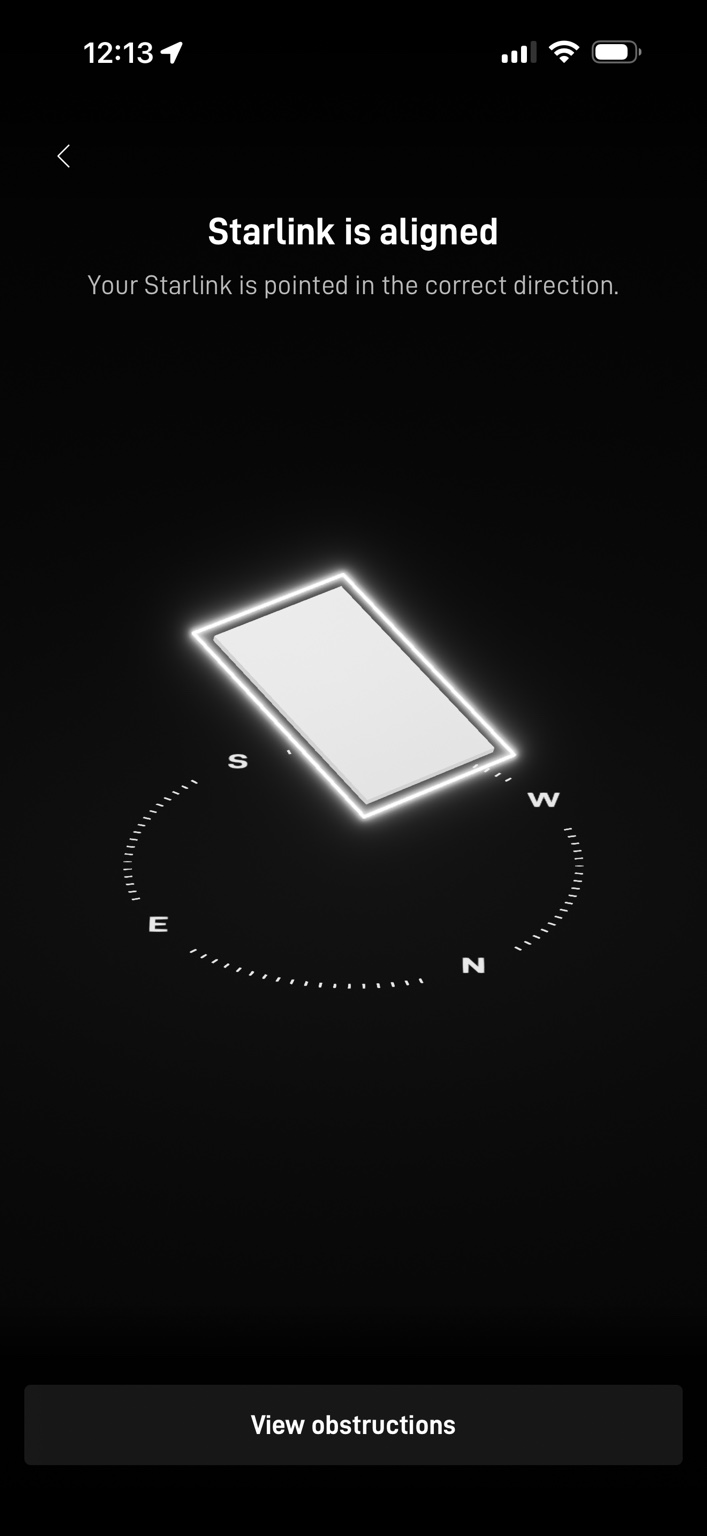
- Starlink app confirmed correct dish alignment
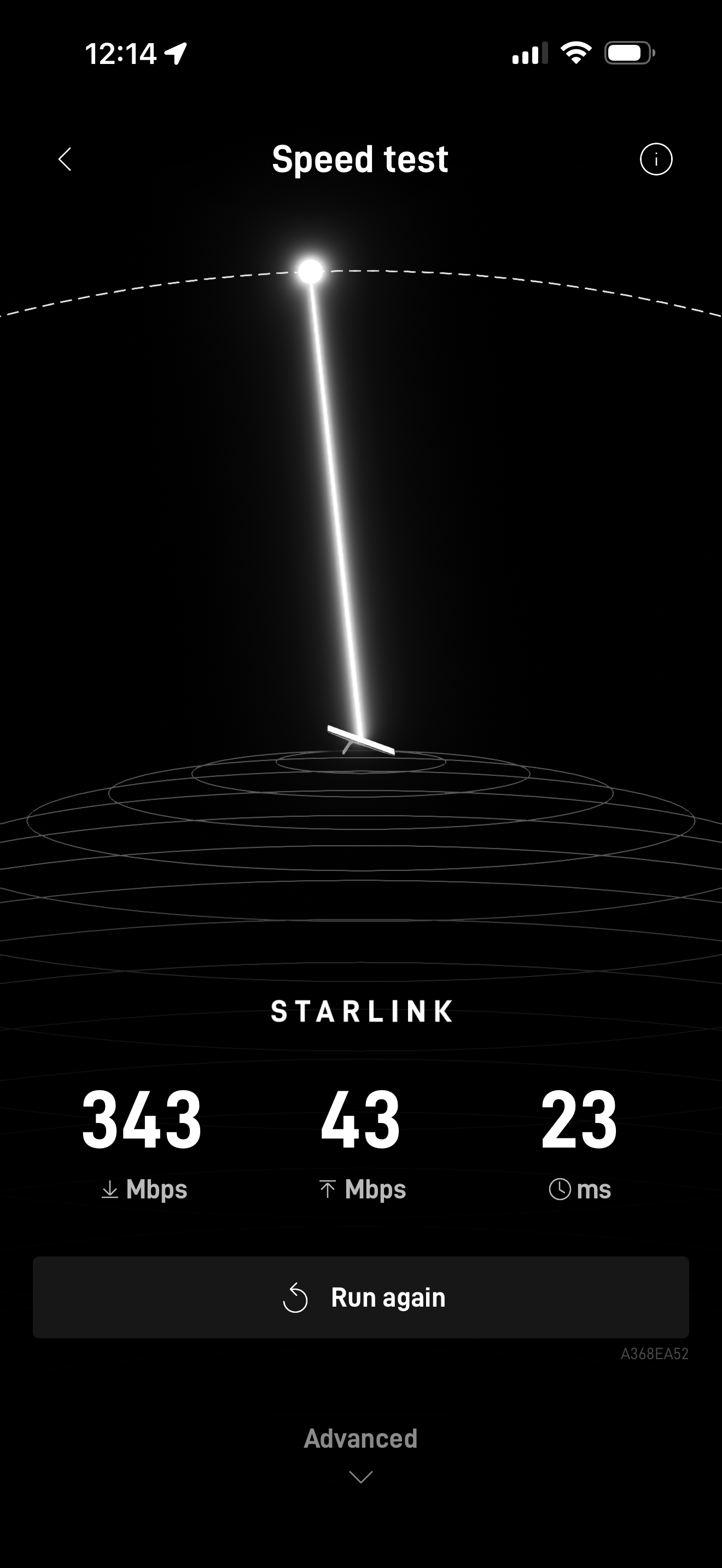
- Recorded test: 343 Mbps download, 43 Mbps upload, 23 ms latency
The update
A recent Starlink installation in Murphy, North Carolina
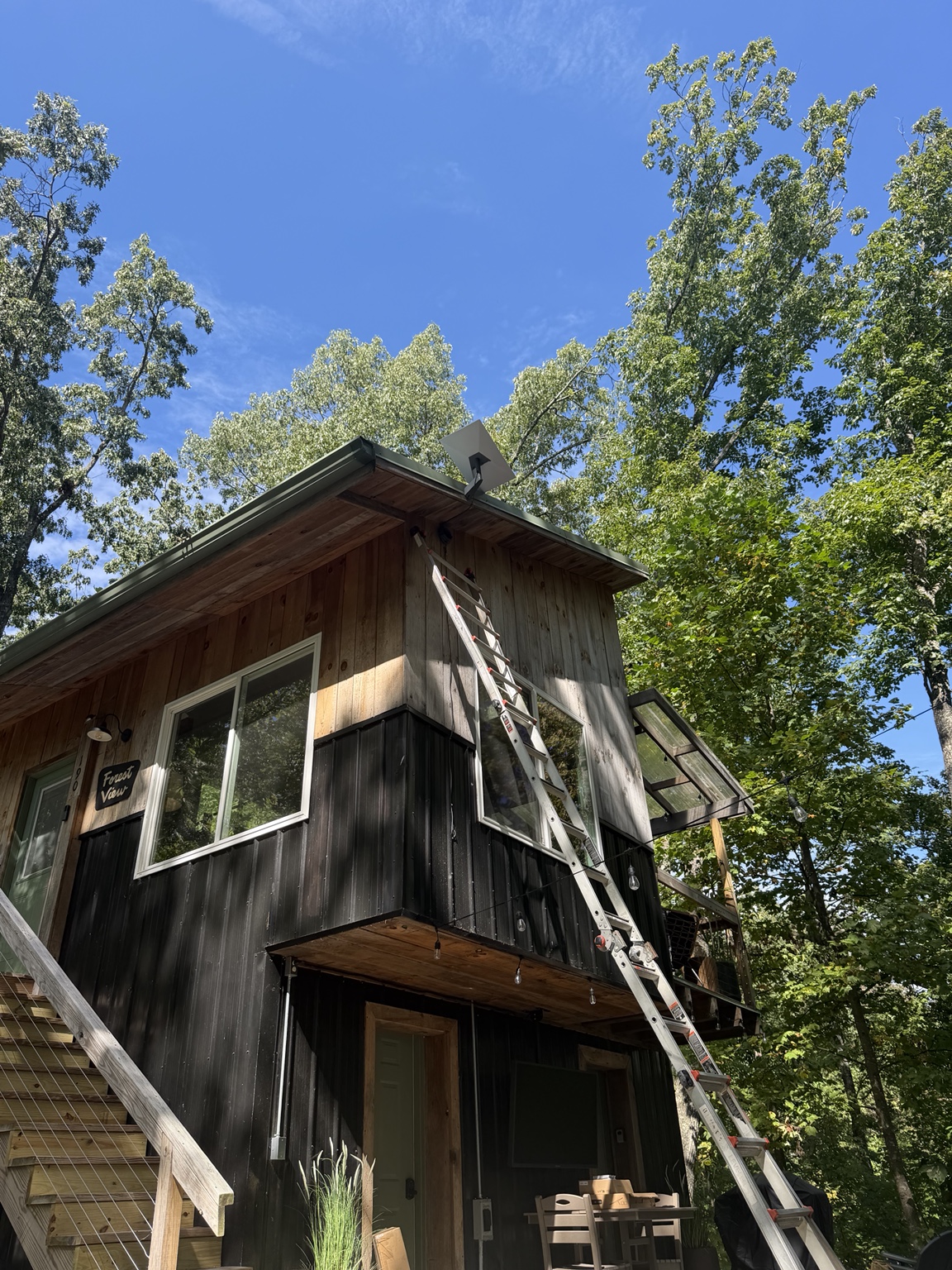
Mann’s Starlink Contracting recently completed this installation at a wooded home in Murphy. The project brings together a roof-edge dish mount, a secured exterior cable, an indoor brush wall plate, and documented alignment and connection checks.
Planning the installation around the property
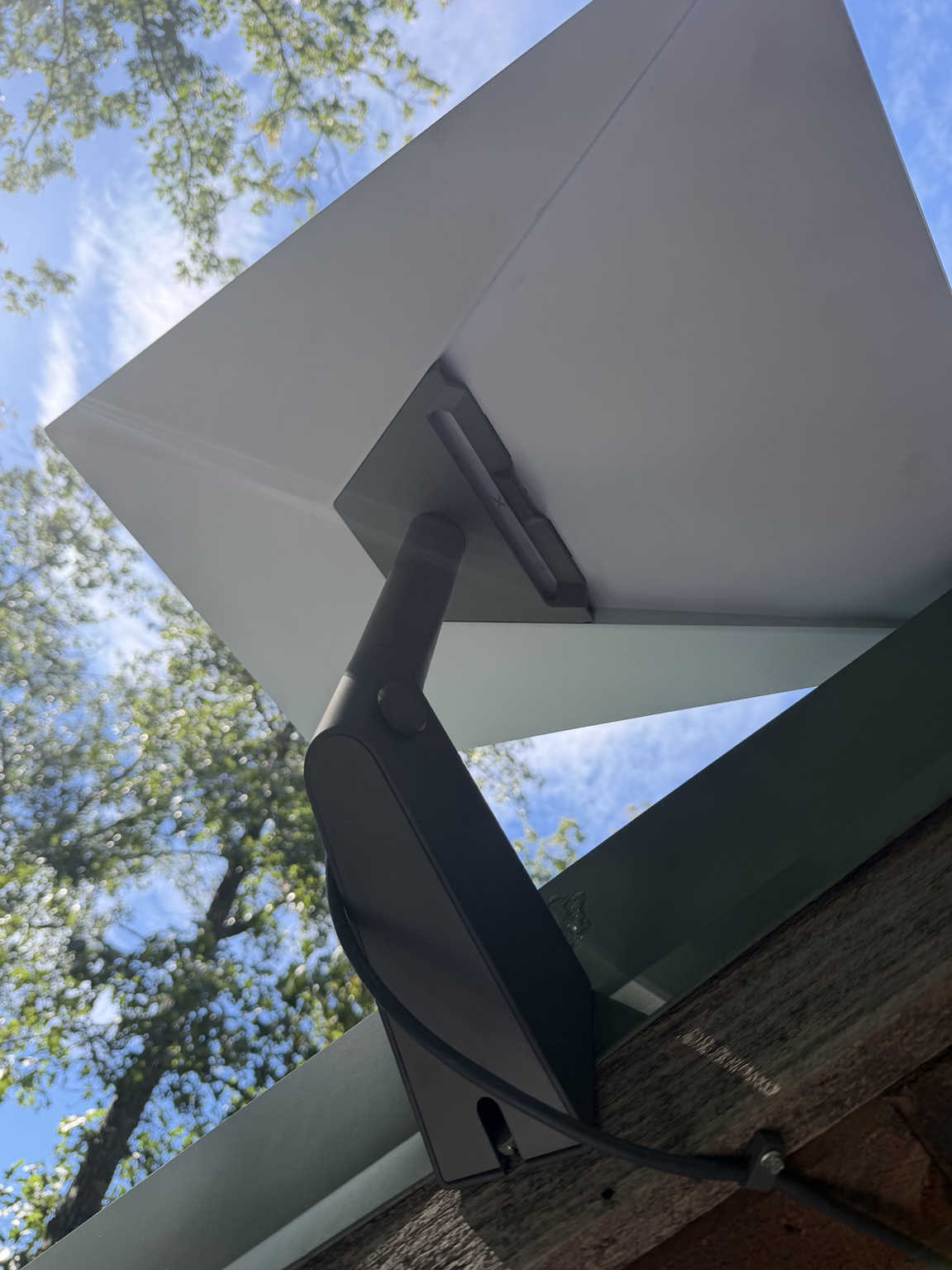
The Murphy home is surrounded by mature trees, with the dish positioned above the roof edge. The wide view shows the setting and mounting location; the close-up shows the bracket and the cable secured along the wood trim.
At a wooded property, the dish location and cable route need to be considered together. We plan around the available sky view, the building, access to the mounting point, and where the connection needs to enter the home. The right installation approach depends on the property.
Bringing the cable inside
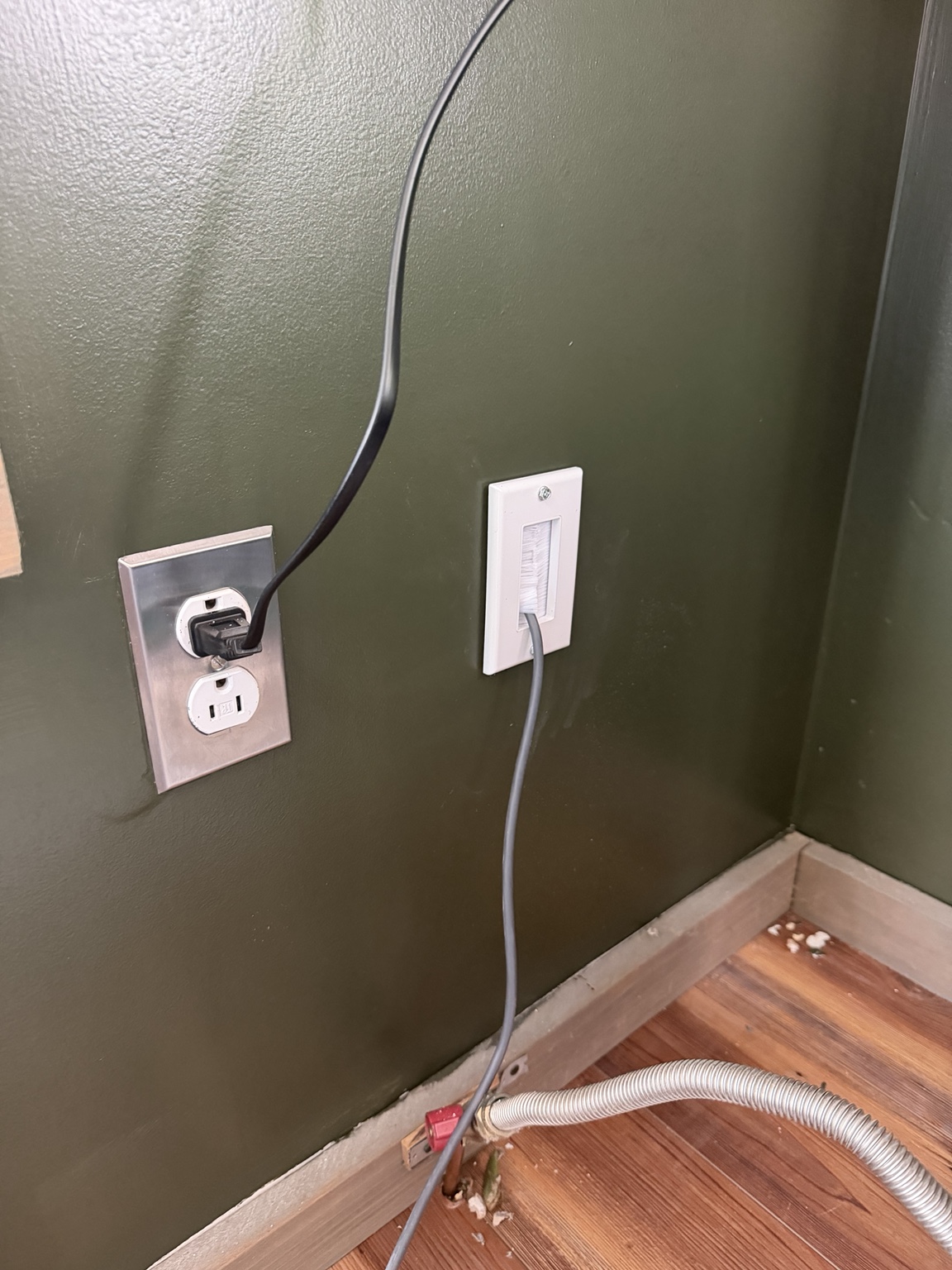
Inside the Murphy home, the Starlink cable passes through a white brush wall plate. This gives the cable entry a finished edge and a defined route into the room. The indoor connection is part of the installation plan alongside the equipment outdoors.
Alignment confirmed and connection tested
The supplied Starlink app screenshot confirms that the dish was aligned and pointed in the correct direction when checked. The recorded speed test showed 343 Mbps download, 43 Mbps upload, and 23 ms latency.
These are actual results captured at this Murphy installation, rather than an advertised speed promise. Speeds and latency vary with location, service plan, network demand, equipment, and conditions. The alignment check confirms pointing direction; it is not an obstruction report.
Current installation service
For new projects, service is limited to addresses within a two-hour drive of Hickory, North Carolina. Send your full address for route confirmation before scheduling.
Turn this information into a clean, professionally planned installation.
Caleb can help evaluate placement, mounting, cable routing, and Wi-Fi coverage for your property.